 DuoNat
Getting more out of it
How to use DuoNat
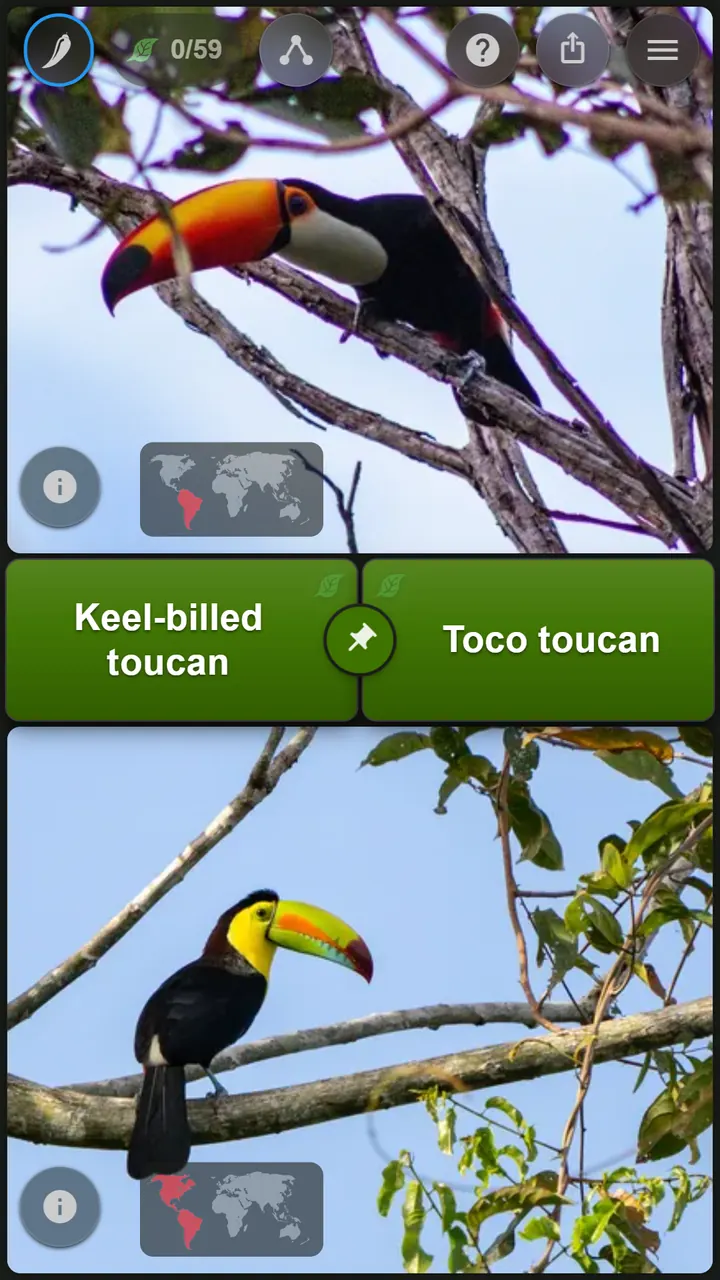
The game is one screen: two photos, two names. Underneath it there is a good deal more — drill a single taxon, narrow to one country, hand someone a set as a link. Here is what to do, depending on what you're after.
Start here
Two gestures are enough to play: drag the names onto the photos, then swipe left for the next pair. Get the same taxon right three times in a row and it counts as learned.
Match the names
Drag each name onto the photo you think it belongs to.
Swipe left, swipe right
Left brings the next pair. Right goes back to the one before, when you want another look at it.
Swipe up
Opens the pairs you've already seen, newest first. Tap one to jump straight back to it.
Swipe down
Opens the filter sets you've played and how far you got in each. Tap one to pick up where you left off.
Starter kits
Not sure where to begin? Each of these opens DuoNat with the filters already set. Change or clear them whenever you like — nothing here is permanent.
Parrots
Macaws, amazons and conures, easiest level, species against species. A good first hour.
Mammals, by family
Families rather than species — voles against squirrels, not one vole against another.
Legumes of Europe
Clovers, vetches and medicks, narrowed to one continent. Small enough to finish in a few sittings.
Butterflies of Ecuador
One country, one group. Swap Ecuador for anywhere you're going — this is what the country filter is for.
Nudibranchs of Indonesia
Sea slugs, and the most outrageous colours in the whole catalogue. Easiest level — turn the difficulty up once these stop being a challenge.
Lichens, up close
Crusts and rosettes on bark, walls and gravestones. Easiest level — and once you start noticing them, you can't stop.
Six ways to use it
The same game underneath, and very different sessions on top. Take whichever one matches what you came for.
- “I keep mixing these two up”
- “What lives where I’m going?”
- “I want to learn the warblers”
- “Make it harder”
- “Make a set for someone else”
- “I just want to look around”
“I keep mixing these two up”
Good for: One stubborn confusion
- Press and hold the pinning knob between the two name tiles, about half a second. On a laptop, double-click it instead.
- Search for the taxon you keep getting wrong, and pick it.
- Every pair from now on contains that taxon against a different partner — which is the practice that actually separates it from its look-alikes.
- Unpin when you're done, and the filters you had before come back.

The pinning knob also works directly on what is already on screen: flick it toward one of the two names to pin that taxon, and flick it back to the middle to let go. That is a different move, though — it keeps your current filters and varies the partner inside them, where searching from the knob clears the filters to draw partners from everything DuoNat has.
“What lives where I’m going?”
Good for: A trip, or your own backyard
- Tap the chili-pepper icon in the top left to open the filters.
- Tap Range, then “Search country or place…”.
- Type a country into the search field — or any other place, a city or a national park — and pick it from the results. (“My country” and “My area” do the same in one tap, using where you actually are.)
- Play. Only taxa actually recorded there will come up.
A country resolves instantly and keeps working once you are offline. Anywhere smaller is looked up on iNaturalist when you pick it, so give it a few seconds.
By default a pair only appears if both of its taxa occur where you picked. If that turns out to be too strict, Settings → Filter can relax it to either one. (Settings appears in the menu once you sign in.)
“I want to learn the warblers”
Good for: One branch of the tree, properly
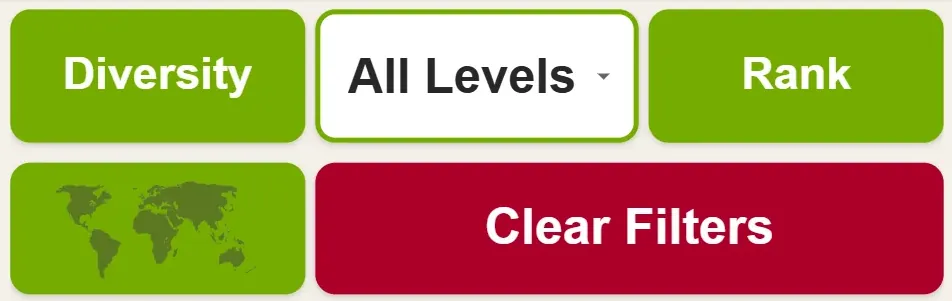
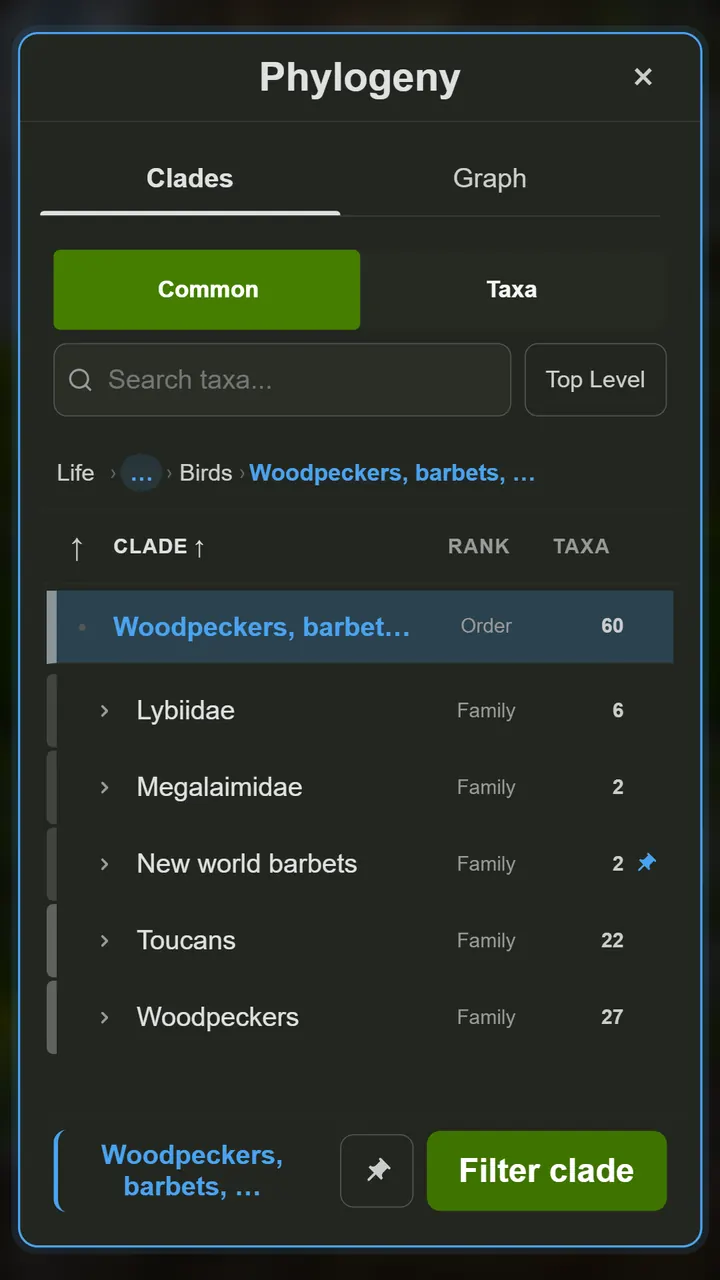
- Open the filters (the chili-pepper icon, top left) and tap Diversity.
- Browse the tree of life as an outline, or search for the group by name.
- Tap Filter clade to play only what lives inside it.
- Add Rank if it helps — it decides whether you're learning to tell families apart or species apart.
The number beside each row is how many taxa DuoNat has in that branch, so you can see the size of the job before you commit to it.
“Make it harder”
Good for: When everything feels too easy
- Open the filters (the chili-pepper icon, top left) and change the level: Easy, Medium, Hard.
- Level means visual similarity, not obscurity — Hard is two things that genuinely look alike, not two names you have never heard.
- Tap the leaf counter at the top to see the set’s progress. Each taxon climbs green, silver, gold — how progress works has the detail.
- Once the set is gold throughout, widen the filters by one step and start the climb again.
“I just want to look around”
Good for: Reading, not being quizzed
- Open the filters (the chili-pepper icon, top left) and tap View collection to page through every pair and every taxon in your current set, with photos.
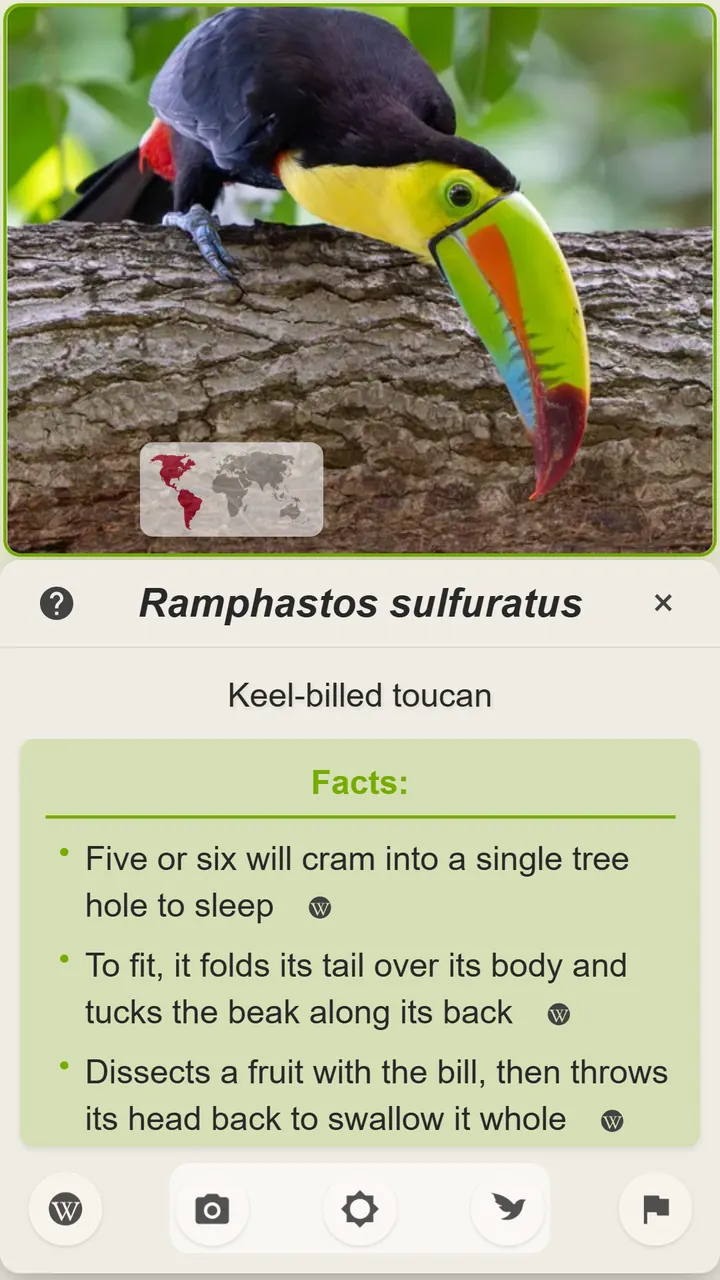
- Tap the ⓘ on any photo for that taxon’s names, its range, and a few facts — each one linked to the source it came from.
- Press A during a round to see how the two taxa are related — where their branch of the tree splits, and what sits on either side of the split.
- None of this scores you. Wander as long as you like.
How progress works
The leaf counter at the top of the screen is not a score. It measures one thing: how much of the set you are currently playing you actually know. Each taxon climbs three rungs, and each rung has its own color.

- Learned
- Identify it correctly three times in a row. A green leaf appears beside its name. Get it wrong before that and the count starts again — but once it is learned, it stays learned.
- Confirmed
- Meet it again in a different pair and get it right. The leaf turns silver. It has to be a new partner: knowing a taxon against one look-alike is not the same as knowing the taxon.
- Mastered
- And once more, against a third. Gold. At that point you can tell it apart from several different things it resembles, which is what identifying in the field actually asks of you.
Tap the counter to see the set broken down, how many taxa are left, and whether you are looking at your current filter or your whole history. Finish every taxon in a set and it is complete — which is the moment to widen it.
Getting somewhere with it
A set with an end is a set you can finish, and finishing is the part that makes the next one worth starting. Four things that help:
Start smaller than feels ambitious
One family, one country, one difficulty. A few dozen taxa is a set you can finish in a handful of sessions — where all of life is a number that never visibly moves.
Widen by one step, not ten
When a set goes gold, change one thing and only one: the family next door, the next level up, a different country. Most of what you already learned still counts, so the new set starts part-finished rather than from nothing.
Pin the one you keep getting wrong
A wrong answer sends a taxon’s three-in-a-row back to zero, so one blind spot can sit on the bottom rung while everything around it goes gold. Pin it rather than waiting for it to come round again: five minutes against a different partner each time usually settles it.
Keep a few sets running
Swipe down for the last twelve sets you have played, each with its own progress. A hard one for when you are sharp and an easy one for a bus ride is a better arrangement than one set you only sometimes feel like.
One thing about widening: the filters hold a single clade and a single location, so moving on is a swap, not an addition — you can play the family next door, but not it and the one you just finished together. Working through a superfamily means walking its families one at a time. The other direction is up: take the rank above, and if that turns out to be too much, drop back down into a branch you have not played yet.
Every gesture, in one place
Most of what DuoNat can do sits behind a gesture rather than a button, so this is worth a skim even if you have been playing a while.
- Drag a name
- Onto the photo you think it belongs to. That is the answer.
- Swipe left / right
- The next pair, or the one before it.
- Swipe up
- The pairs you've already seen. Tap one to return to it.
- Swipe down
- The filter sets you've played, with your progress in each.
- Pinch a photo
- Zoom and pan. Zooming out past the crop shows the whole original photograph.
- Press and hold a photo
- A magnifier lands on that spot; keep your finger down to move it around.
- Press and hold the ⓘ
- Goes straight to that taxon on iNaturalist, skipping the dialog.
- Tap the little map
- Hides the range maps — they can give the answer away. A globe button brings them back.
- Tap the badge on a photo
- Other versions of the same pair, where they exist: female, male, adult, young.
- Flick the pinning knob
- Toward a name pins that taxon; back to the middle releases it.
- Press and hold the pinning knob
- Opens the search, to pin any taxon rather than one on screen. This one clears your filters; flicking does not.
On a keyboard
- N / P
- Next pair, previous pair
- C
- Open the filters
- A
- How the two taxa are related
- I / O
- Info for the top photo, info for the bottom one
- S
- Share what you are playing
- G
- The pairs you've seen
- K
- Every shortcut
- ?
- Help